Where to Publish AI Films: Platforms & Release Checklist
Compare AI film publishing options, prepare your release assets, and learn how to publish a film or series and reach viewers on Voobin.
Tom
October 2, 2026
Where to Publish Your AI Film: Platforms and a Release Checklist
Five quick steps before you publish
- Finish the master. Watch the complete export and check picture, dialogue, music, subtitles, and credits.
- Verify permissions and credits. Review your AI tools' terms and permissions for music, assets, voices, and likenesses.
- Prepare the poster and synopsis. Give viewers a clear image, a short story hook, and accurate production details.
- Choose the viewing destination. Decide where the complete film will play and which other sites will help people discover it.
- Publish a clear release link. Share a working watch page with the title, creator name, and a specific invitation to watch.
Deciding where to publish AI films starts with your release goal. Do you want a public premiere, a portfolio link, short-drama distribution, or a home for an ongoing series? These goals need different publishing routes. The following comparison and release checklist will help you choose one that fits your completed project.
Where can an AI filmmaker publish a finished film?
You can upload AI films to general video services, release short episodes on social platforms, or explore distribution with short-drama services. Start by separating the place that hosts your film from the places that promote or license it.
| Platform | Publishing route | Consider it for | Check before release |
|---|---|---|---|
| YouTube | Upload through YouTube Studio | A public channel release | Visibility, content policies, and AI disclosure |
| Vimeo | Upload a video file to your account | A portfolio or viewing link | Plan allowances and viewing privacy |
| TikTok | Upload videos directly to your account | Vertical short films, episodes, and trailers | AI labels, content rules, and current upload limits |
| DramaBox | Contact its short-drama distribution team | Exploring distribution for a short-drama series | Confirm AI-content eligibility, delivery requirements, and distribution terms |
These publishing and contact routes were checked against the platforms' own pages on October 2, 2026. They describe available routes, not guaranteed audience size or acceptance.
How do video sites, social platforms, and distribution services differ?
General video sites give you an upload destination and a shareable watch page. They can suit a finished short film, but your release still needs a compelling title, thumbnail, and promotion plan.
Social video platforms such as TikTok support direct video uploads. Consider them for vertical episodes, standalone shorts, or trailers that introduce a longer release. Make episode numbers and viewing order clear.
Short-drama distribution services require a different release plan. DramaBox's business page invites short-drama rights holders to contact [email protected]. Treat this as a distribution inquiry: confirm whether your AI-generated project is eligible, obtain acceptance, and agree on terms before planning a release there.
Dedicated publishing platforms can organize work around films, projects, and episodes. For a continuing story, assess how easily viewers can find the next installment.
A practical AI film distribution plan is to choose one main viewing destination, then use trailers and social posts to introduce it. Check each outlet's terms before combining releases.
What should a release package contain?
Prepare one folder before opening an uploader. Keeping your assets together makes it easier to publish consistently across AI film publishing platforms.
Release-package checklist
- Final master: the complete film, watched from beginning to end after export.
- Upload copy: a file that meets your chosen destination's current specifications.
- Poster and thumbnail: readable artwork that accurately represents the film.
- Logline and synopsis: a one-sentence hook and a short description without major spoilers.
- Production details: title, runtime, language, genre, creator name, and episode order where relevant.
- Credits and permissions: contributor credits, license records, and any necessary releases.
- Captions or subtitles: reviewed for spelling, speaker accuracy, and timing.
- AI disclosure and content warnings: accurate information required by the destination.
- Promotion assets: a trailer, a few stills, and concise release copy.
- Watch link: the public destination you will test and share.
Avoid assuming that an AI-generated soundtrack, voice, or character is automatically cleared for publication. Review the relevant provider terms and your permissions for incorporated material.
For technical preparation, Vimeo's upload guidance prefers common formats such as MP4 and MOV. Other destinations may have different requirements. YouTube requires disclosure for realistic content that is meaningfully altered or generated with AI. TikTok requires labels for AI-generated content containing realistic images, audio, or video.
What should you check after launch?
Open the release link while signed out and test it on a phone and desktop. Confirm that the film plays, audio stays synchronized, captions appear correctly, and the poster matches the release.
For a series, check episode order and make sure viewers can identify the starting point. Verify that promotional posts lead to the intended film rather than a profile or unfinished project.
Review available viewing data and comments to find useful improvements. If viewers misunderstand the premise, revise the synopsis. If playback fails, fix the file or settings before expanding promotion. Save the final URL and assets for future submissions.
How do you publish a film or episodic project on Voobin?
Voobin is another option for creators releasing AI-generated narrative entertainment. Its Creator Publishing Agreement permits primarily AI-generated story content, including movies, short films, animation, series, and episodic dramas. It is a relevant destination when your project tells a story rather than serving as a tutorial or general vlog.
Studio currently requires sign-in. The Voobin Help Center documents this route:
- Open Studio after signing in.
- Choose Create Series, then add episodes under the project.
- Follow the current Studio instructions for your release, checking the project's presentation and the finished viewing link before sharing it.
For a standalone film, confirm the appropriate project setup in Studio. The public help guide does not list accepted file formats, maximum upload sizes, or duration limits; check those requirements in the live uploader before preparing your upload copy.
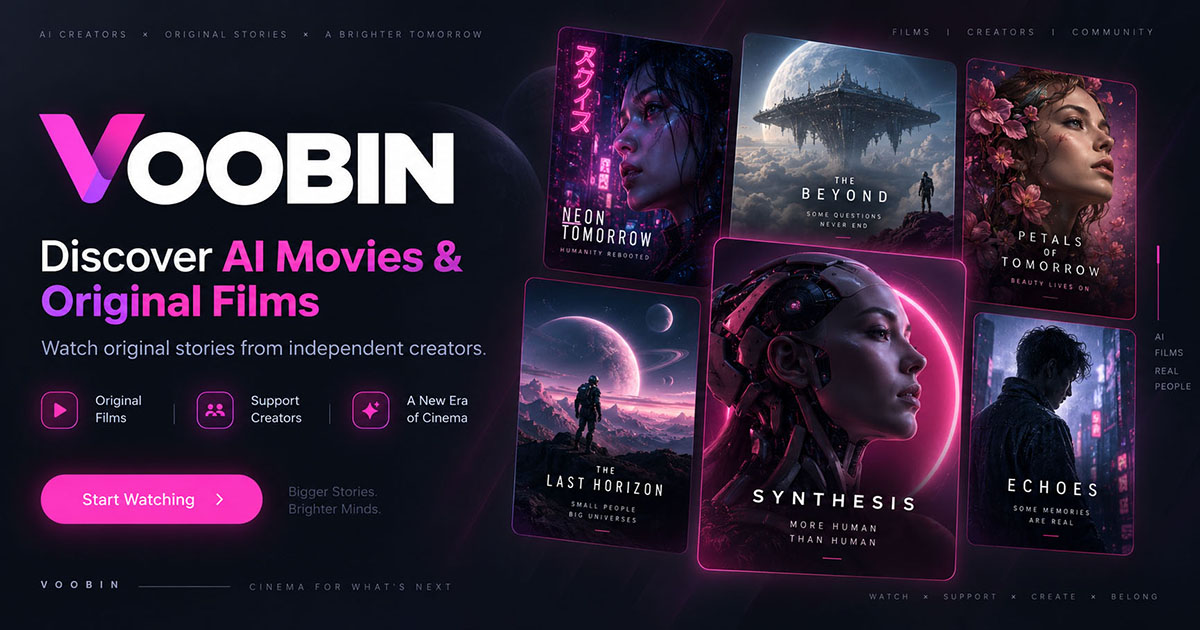
Voobin's public publishing guide, captured October 2, 2026.
Publishing is non-exclusive by default under the creator agreement. Funding and monetization remain developing features whose availability may vary, so check current enrollment terms separately from your film release.
Ready to share your finished story? Explore Voobin Studio and follow the current publishing help to prepare your release.
Explore more stories at the intersection of film, technology, and culture.
Read More About AI Movies
- Ai Science Fiction Movies Worth Watching
- Artificial Intelligence Movies And Films Platforms
- Best Websites To Watch Or Stream Ai Generated Movies
- How To Make An Animated Video Last For 3 Mins
- How To Make Money With Ai Generated Movies And Films
- Movies Made With Artificial Intelligence
- New Ai Movie 2026
- Where To Publish Ai Films